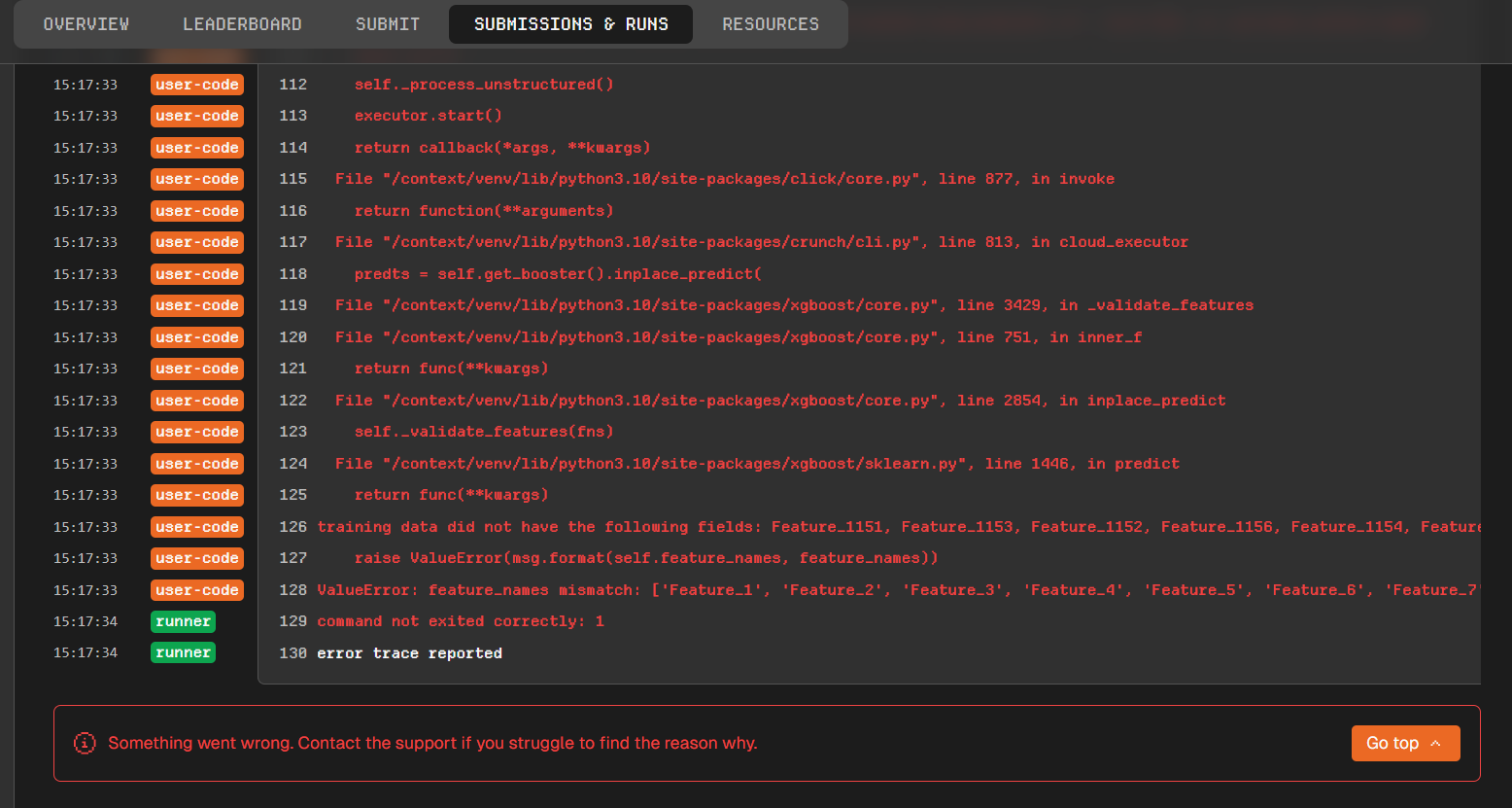
Every one of my submissions failed this week’s out-of-sample scoring with the same error. After going through the run logs, the cause is a change to the dataset’s feature schema that — as far as I can tell — wasn’t communicated in advance.
What happened
All of my models errored during infer with an XGBoost feature-name mismatch:
This week’s data release (data-releases/240) ships 1157 raw Feature_* columns instead of 1150 — seven new features (Feature_1151–Feature_1157) were added. The original 1150 features are all still present, so it’s a purely additive change.
Why it breaks
Following the documented convention, my code selects features with column.startswith("Feature_"). That now sweeps in the seven new columns and feeds them to models that were trained before those columns existed, so XGBoost rejects them at predict time. This hit every model I’ve submitted — all of which scored cleanly in previous weeks. Nothing on my side changed; the input schema changed underneath the existing submissions.
Impact
All my submissions for this scoring cycle failed and (as far as I can tell) produced no score for the week.
Questions
Was this feature addition announced anywhere ahead of time? I couldn’t find any notice — if one exists, please point me to it.
Going forward, where will feature-set / schema changes be communicated, and how much advance notice will participants get?
Will additive feature changes come with a backward-compatibility or transition window so that already-submitted models don’t break silently?
Given the lack of notice, will affected submissions for this cycle be re-scored or exempted from any ranking/reward penalty?
Happy to share full run logs and submission IDs (e.g. 56135, 49572, plus the rest) if that helps support reproduce it. Thanks.
Another question, if i may. Does train_frequency being set to 0 (default) mean the model is only trained once and then only inference is run each week? Is this the core of the issue here?
The models are currently being rerun. Both your extra-augmented model and your xgboost-augmented model have already finished with an error (others are still running).
We have also removed the old run to avoid cluttering up your dashboard.
The train frequency is a number representing when the train() function will be called.
If set to 0, train() will never be called.
If set to 1, train() will be called at each moon.
If set to 2, train() will be called at each even moon.
If set to 10, train() will be called at each tenth moon.
The number is based on the modulo of the moon itself, not the one of the iteration, meaning that a train frequency of 5 will run at moon 300, 305, 310, …
It is not based on the loop. If the cloud environment starts at moon 303, only after two moon (305) the train() will be called.
You can effectively put any positive value, but the smaller, the more time the train() will be called, but the longer your code will take to run. And when you have only 15 hours / week, some models do not always fit.
Reviving this thread for a follow-up on train_frequency, since the explanation here is the only place I found it documented.
Two questions about DataCrunch #2 specifically:
1. Which train_frequency is applied to submissions during the OOS scoring phase? I could not find it stated anywhere in the docs.
2. Can a participant set it for their own model (notebook, CLI, or a hub setting), or is it fixed per competition?
Why it matters for model design: my model deliberately trains on a recent window of moons, because in local validation the older regimes actively hurt performance. I measured how much a frozen model decays — training only on data ending 9 moons before the validation window drops my score by about 43% — and I also confirmed that using longer training windows does NOT protect against that decay (it is worse both fresh and stale). So if train() only runs once and inference then runs for many weeks, that is a real design constraint rather than a detail.
If train() does run once, is there a recommended pattern for models whose edge comes from recent data? Thanks!
I will update the documentation regarding the train frequency.
To answer your questions:
It depends on this week’s moon. If the moon is 310 and your train frequency is 10, your train function will be called. However, if the moon is 309 or 311, it will not be called.
Yes, you can choose your train frequency when you run your model for the first time.
The same frequency will be used for the Out-of-Sample period.
It is not possible to change the frequency between Out-of-Sample periods; you must submit again.
To make it even clearer, here is a matrix showing when will your train function be run. The columns are the moons and the lines are the train frequencies: